The user must have the Duo Owner Administrator role.
Only admins with the Owner role can create new Admin API applications in the Duo Admin Panel.
Once logged in as an OWNER, navigate to
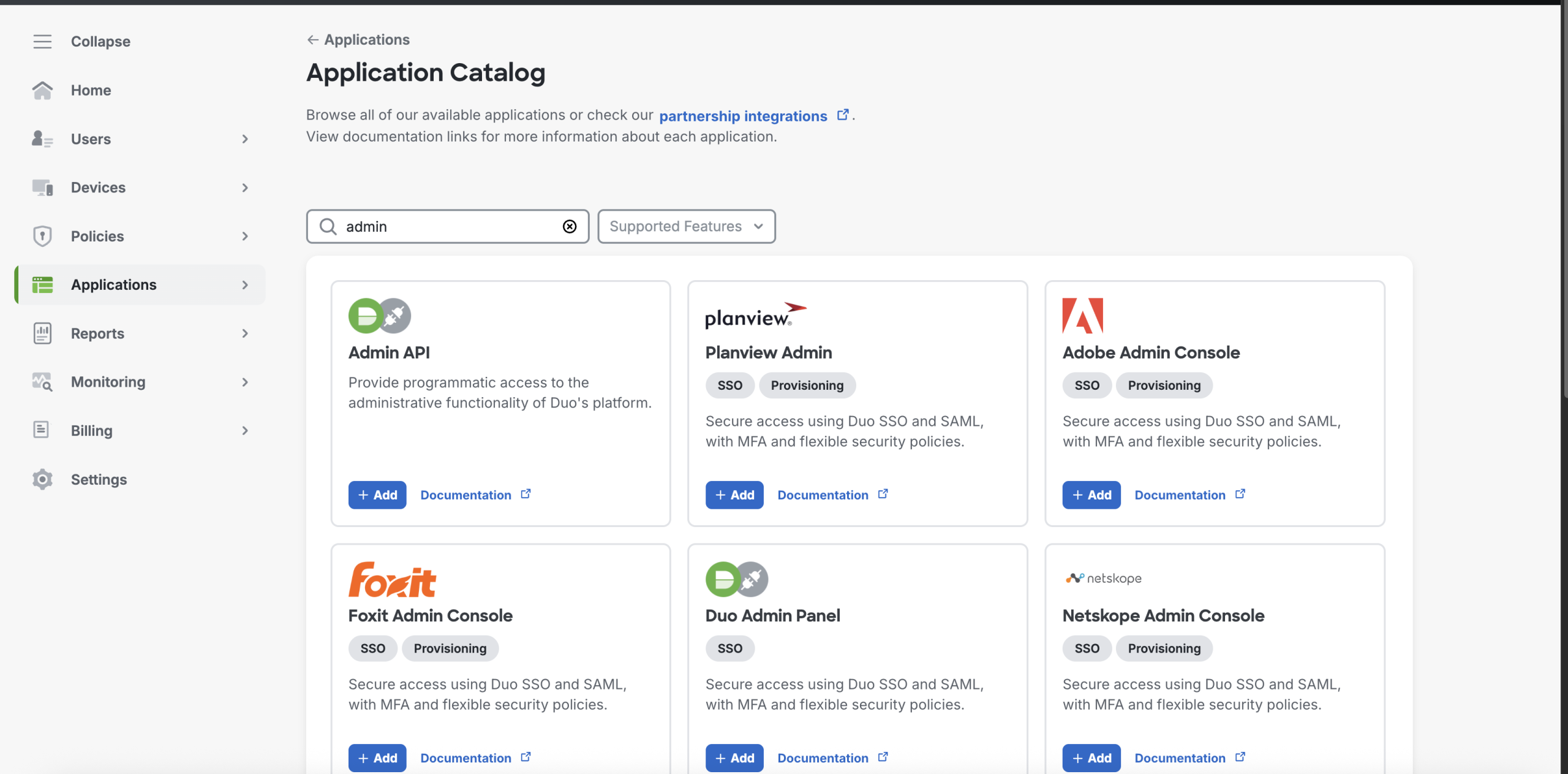
Application → Application Catalog in the sidebar.
Locate the Admin API entry in the applications list and click the
Add button and note down the following variables, which will be used for log collection:
Integration Key
Secret Key
API Hostname
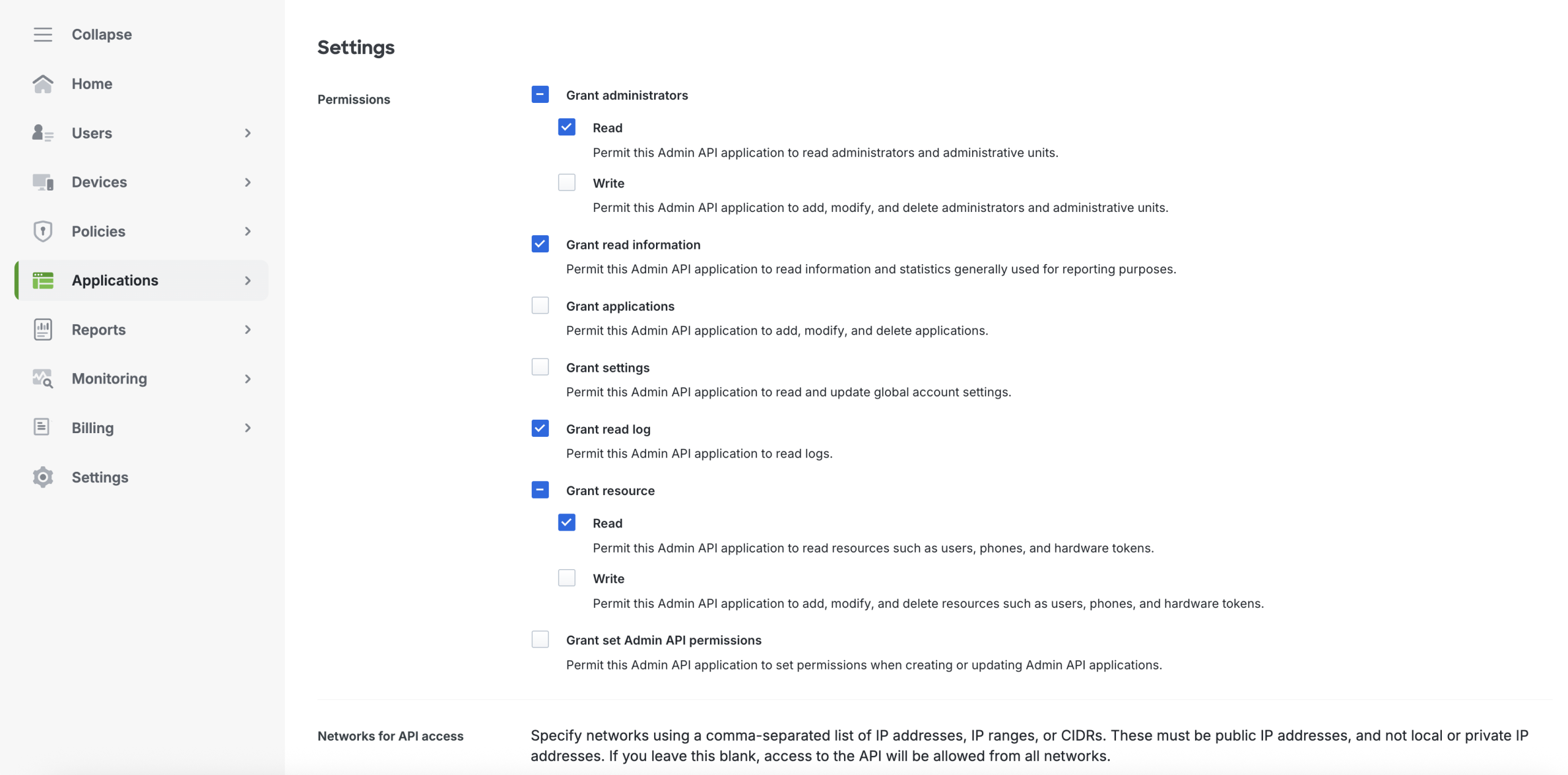
Grant the following permissions to the application so that the ADMIN API can read logs:
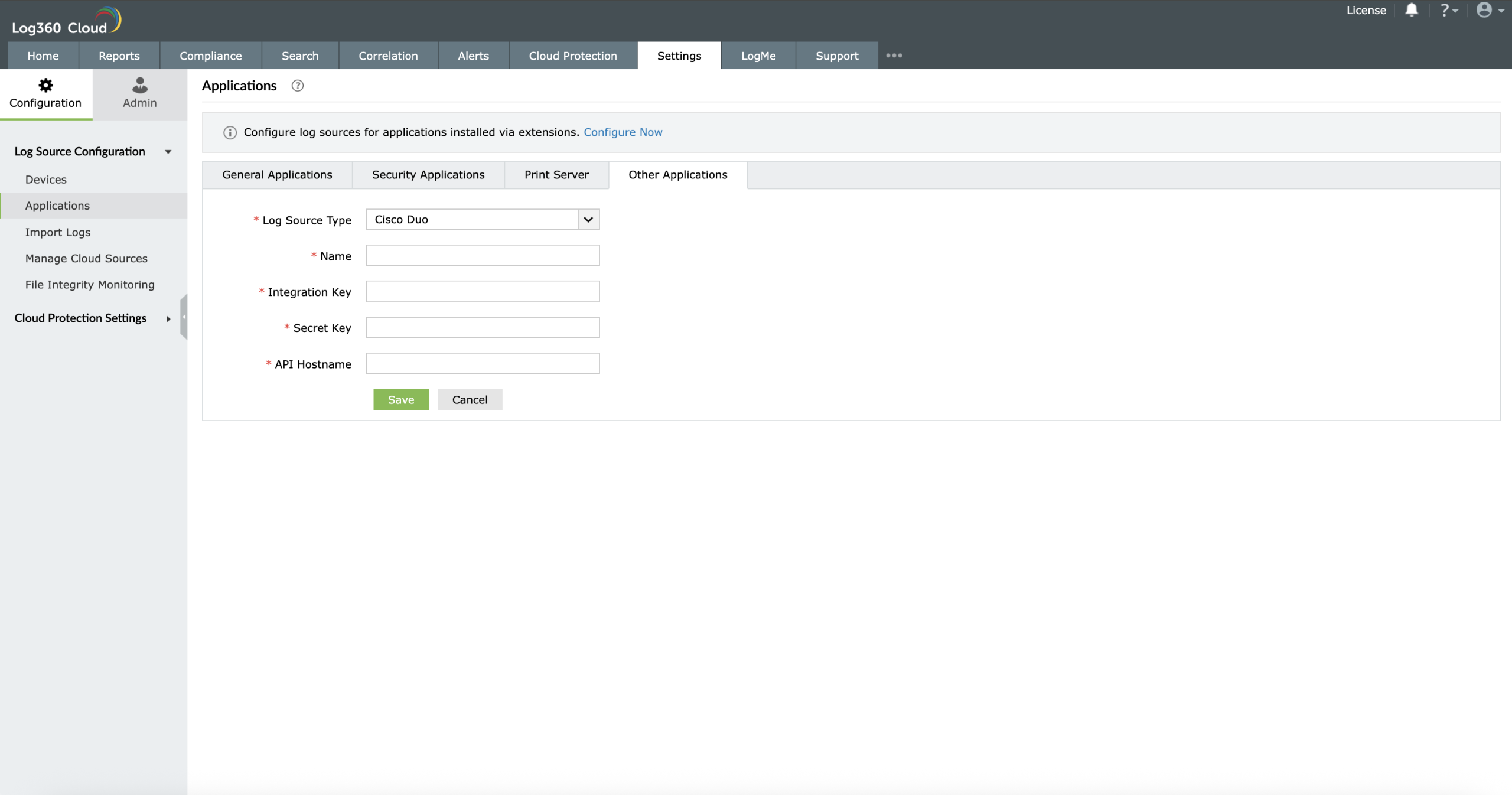
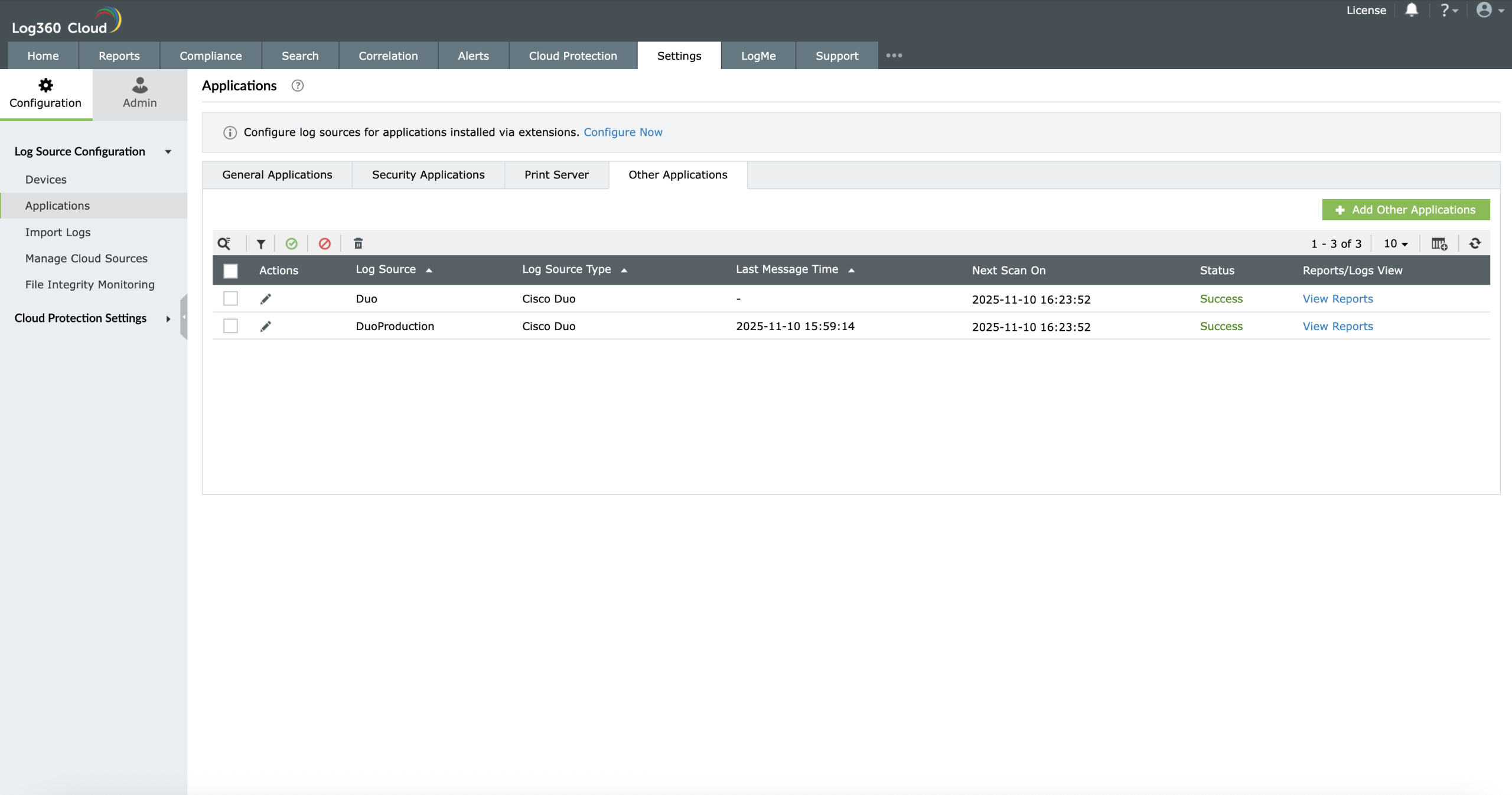
Navigate to Settings → Applications → Other Application.
Select Cisco Duo as the log source type.
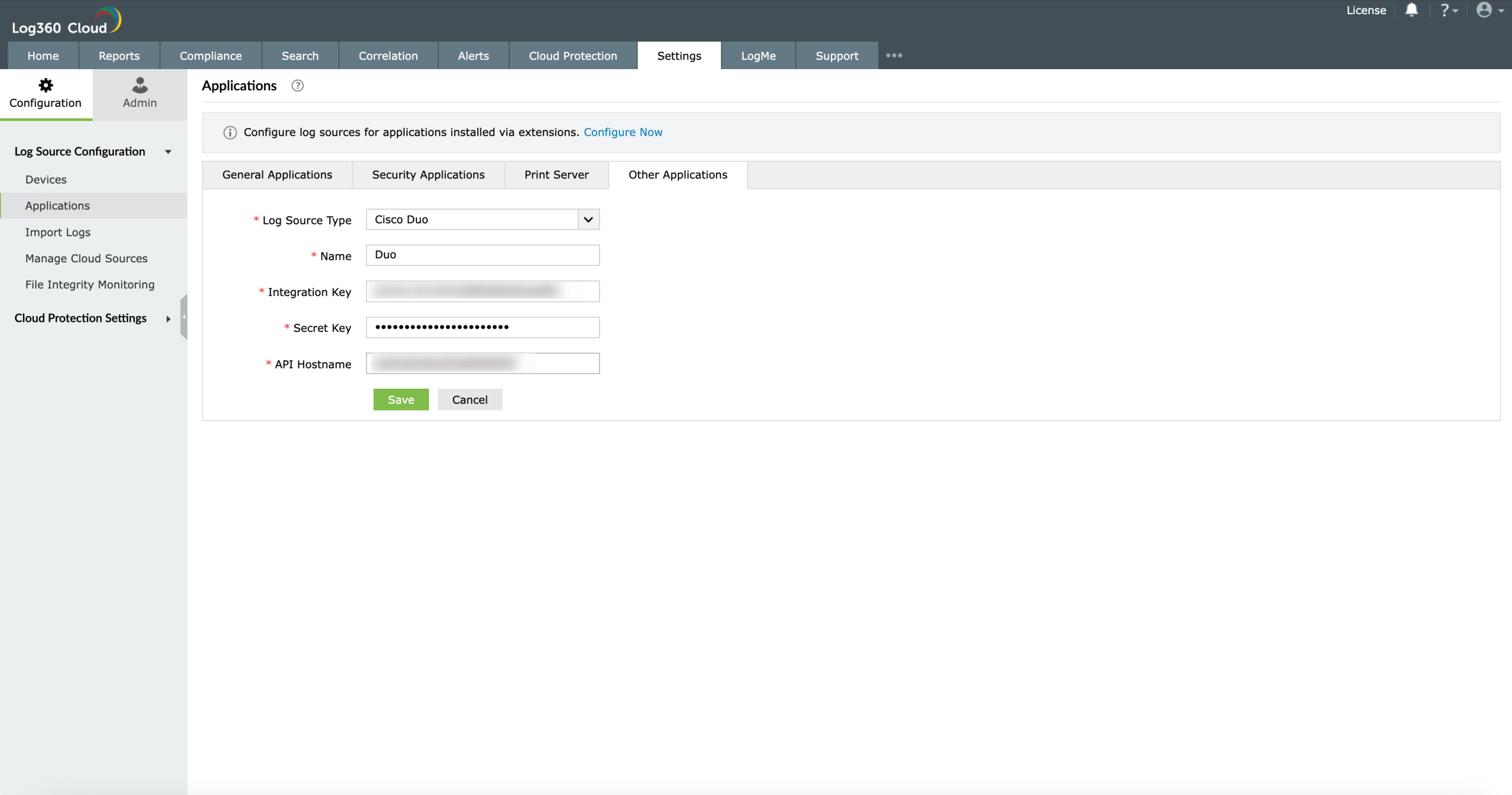
Fill in the following fields with the values copied from the Cisco Admin API:
Integration Key
Secret Key
API Hostname
Click Save to complete the configuration.
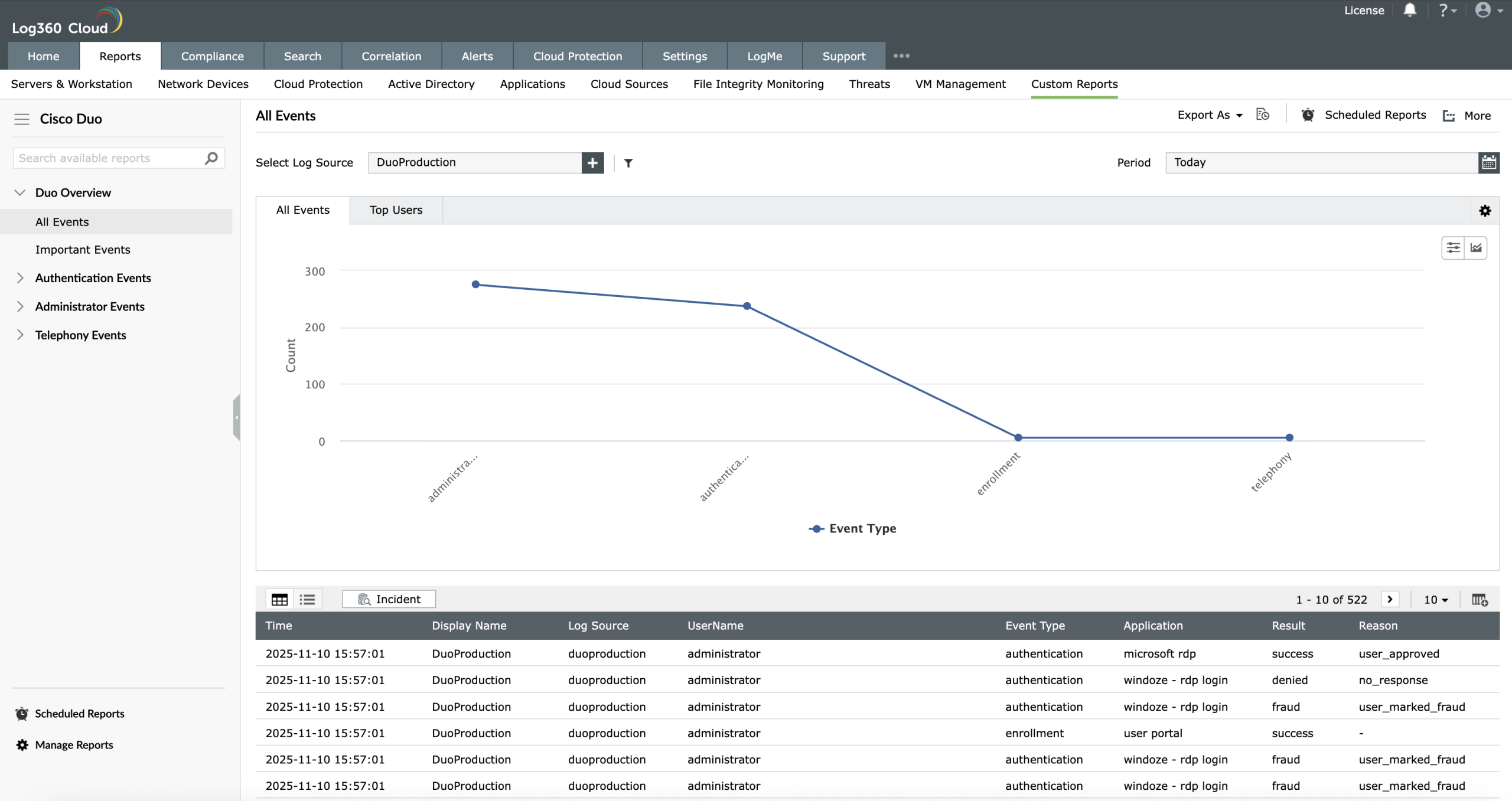
Log360 Cloud will retrieve logs at regular intervals and display them under
Reports → Custom Reports.
Enable Cisco Duo alerts
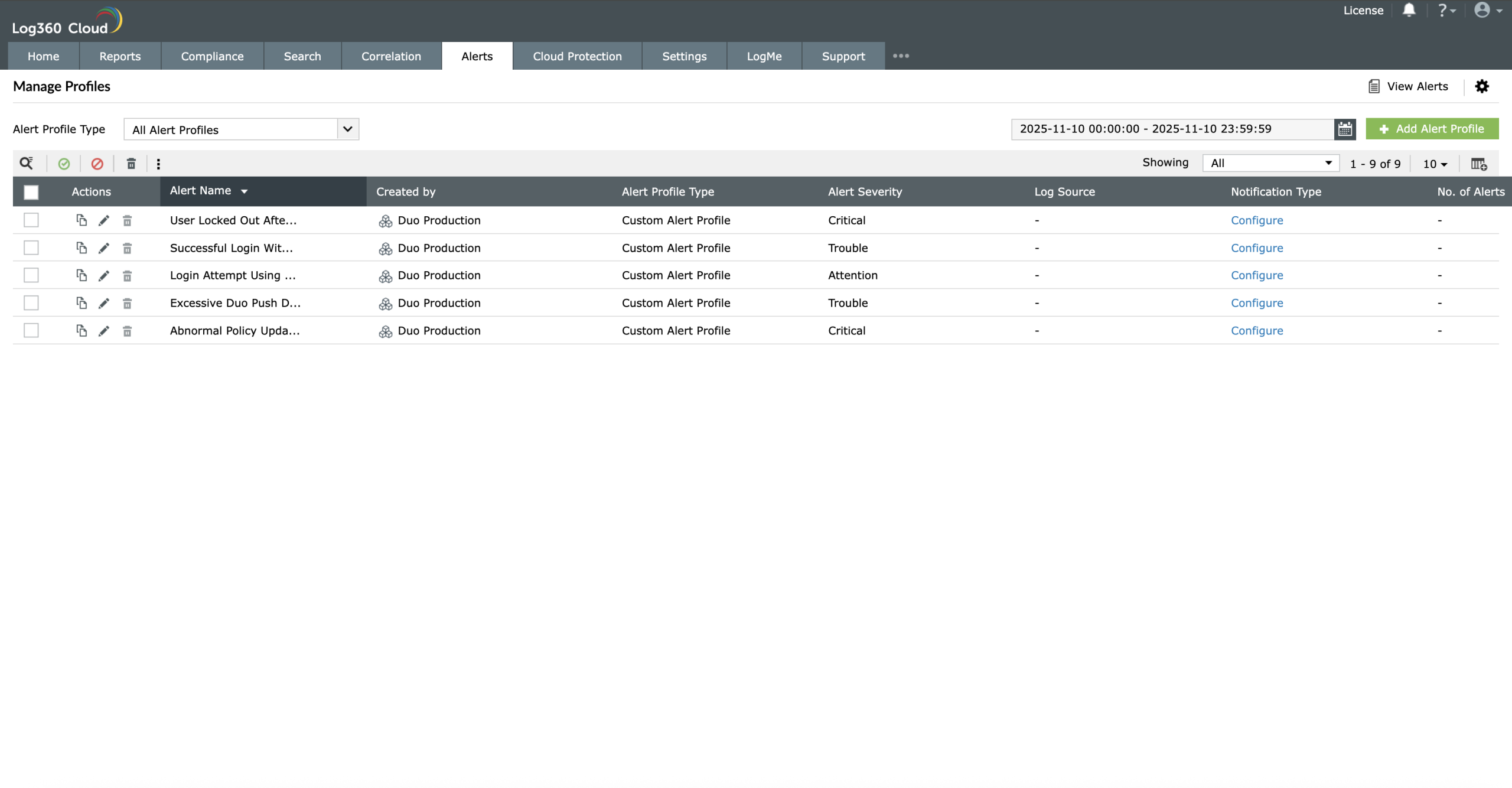
To view the alerts, navigate to the Alerts tab → Manage Profiles.
In the Manage Profiles page, select Custom Alert Profiles as the Alert Profile Type.
Use the Created By column to identify CiscoDuo alert profiles. Select the profile(s)
and click the green check mark icon to enable the alert profile.
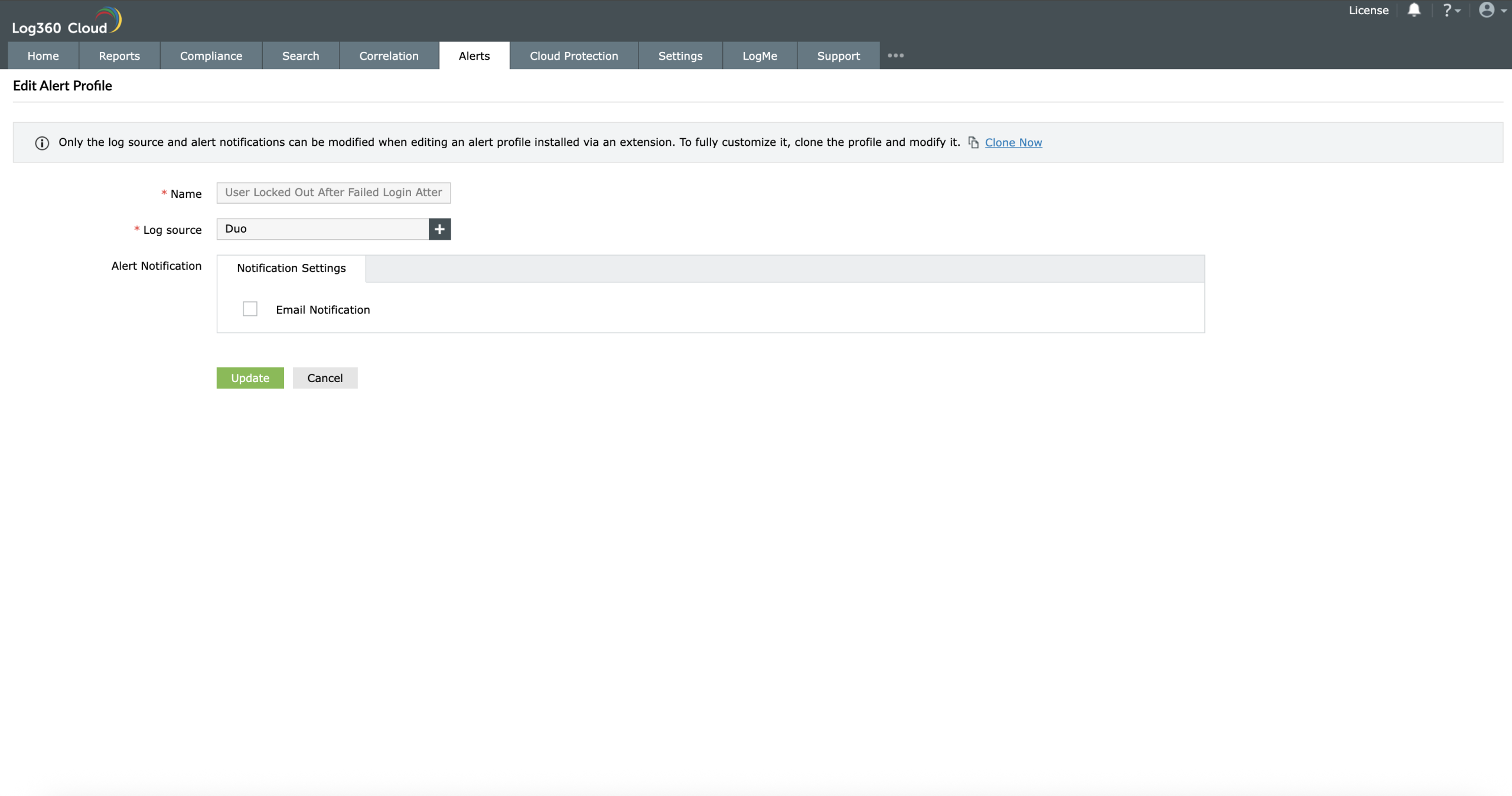
To associate the log source, click the edit icon to open the Edit Alert Profile window.
In the Log Source field, click the add button and select the configured log source for CiscoDuo.
Click Update to save the changes.
Enable Cisco Duo correlation rules
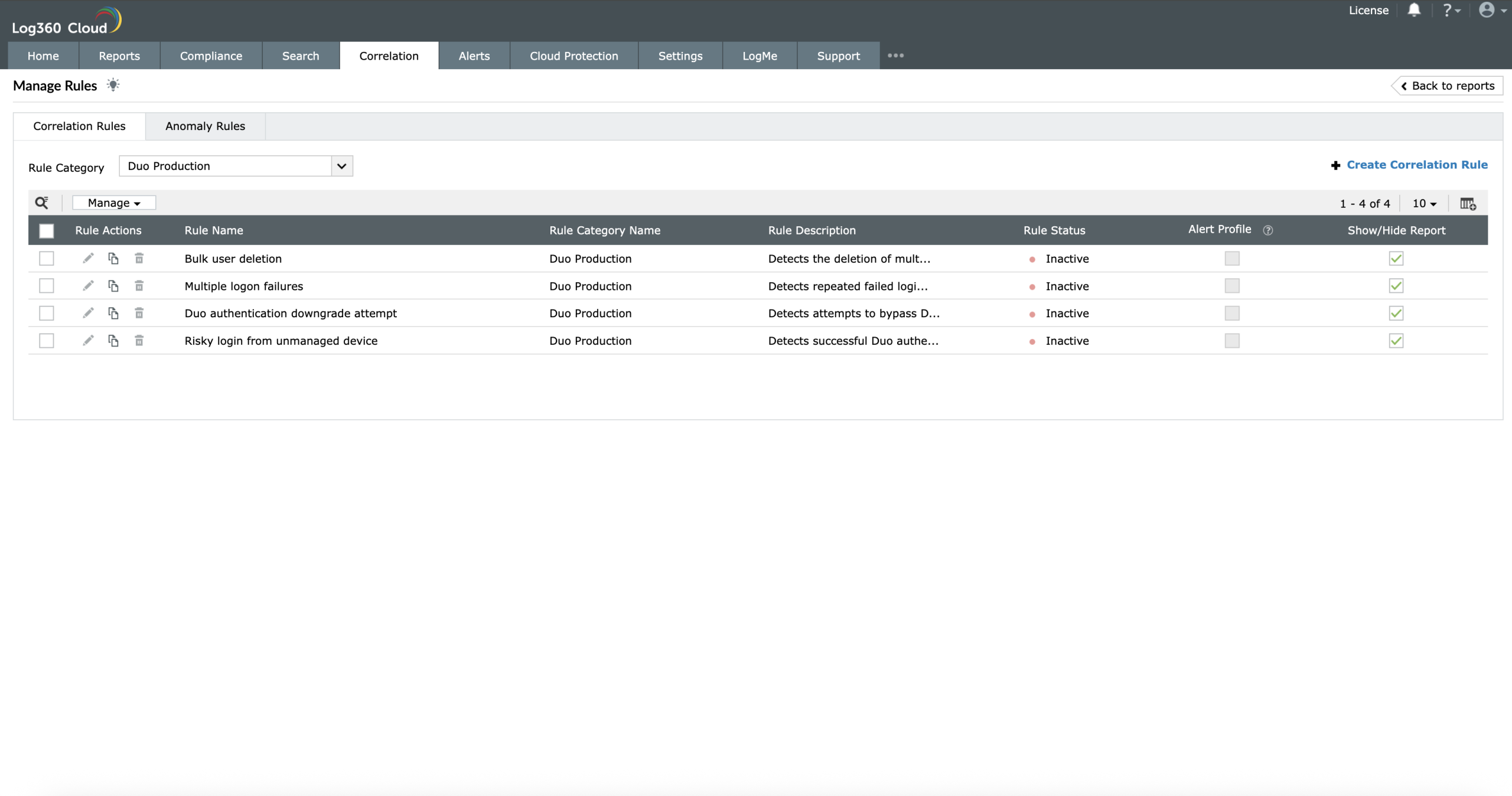
Navigate to the Correlation tab and select Manage Rules.
On the Manage Rules page, select CiscoDuo as the Rule category to filter the related
correlation rules. You can enable them manually by selecting the rule and clicking
Activate in the Rule Status column.
View Cisco Duo correlation actions
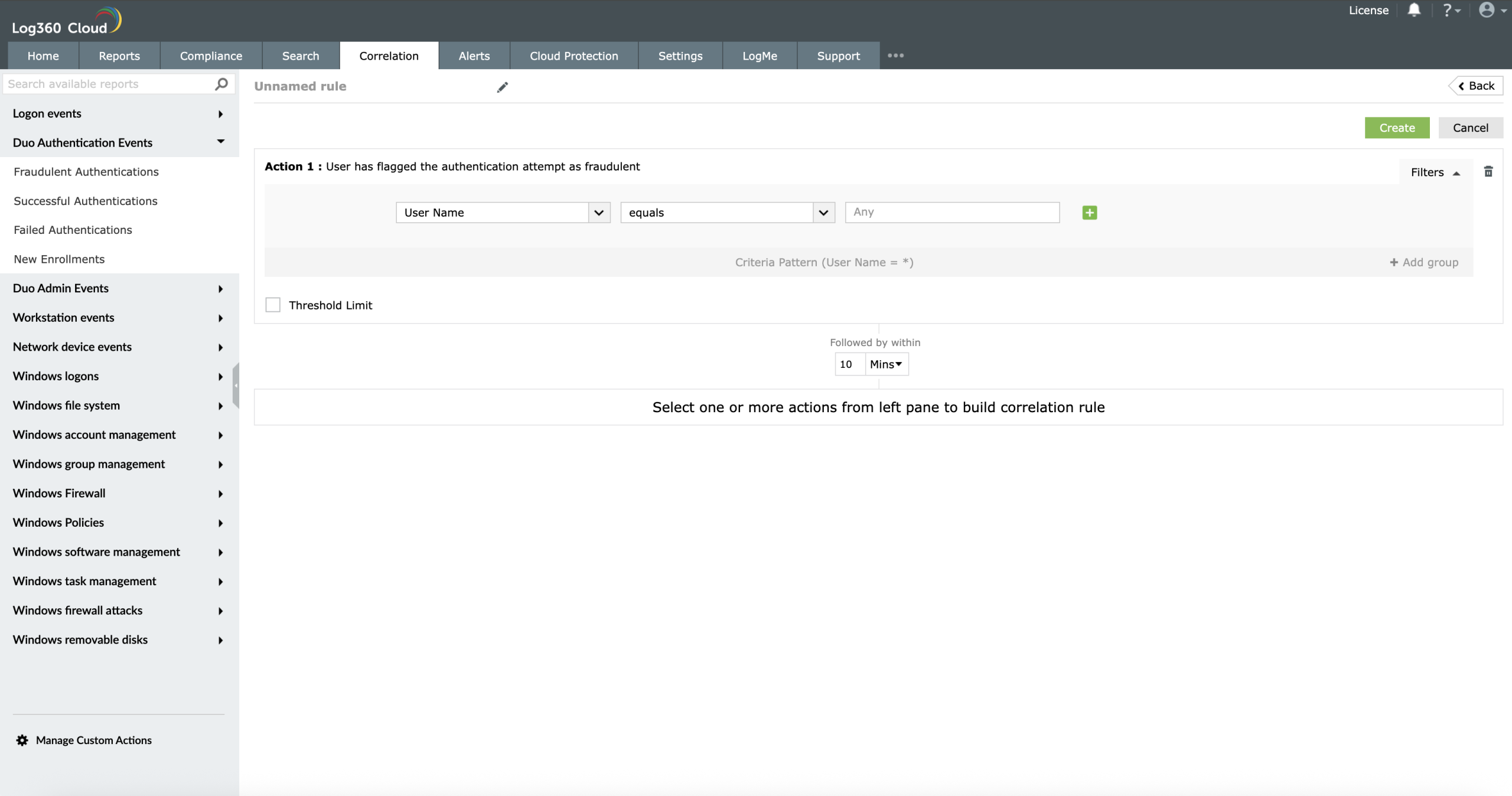
Navigate to the Correlation tab and select Manage Rules.
On the Manage Rules page, select CiscoDuo as the Rule category to filter the related
correlation actions. You can select the actions and build custom rules.
Add Cisco Duo widgets
Navigate to the Home tab and select Add Widgets.
In the Widget dropdown, select Custom Widgets and choose the
Cisco Duo widget to add it to the dashboard.